Это не совсем гайд, просто делюсь инфой которую я хотел знать раньше. Тут описано как вытаскивать файлы из .bundle архивов, чтобы посмотреть на устройство игры. Руководство написано на двух языках, русском и английском
Eng:
This is not exact guide, just sharing info that i would glad to know earlier. There i would describe how to extract files out of .bundle archives and where you could look at game's insides. I write this guide in two languages, russian and english. I have a lack of english knowlege so translation could be not perfect.
Сначала по-русски
Ссылка на полный архив со всеми инструментами и ссылки на форумы я оставил в конце руководства.Как вытаскивать файлы из .bundle архивов
Для этого существует такая прекрасная прога, как GRAW2tool, изначально создавалась для другой игры Grin, но BCR написана на том же движке, поэтому прога полностью совместима с BCR. Сама прога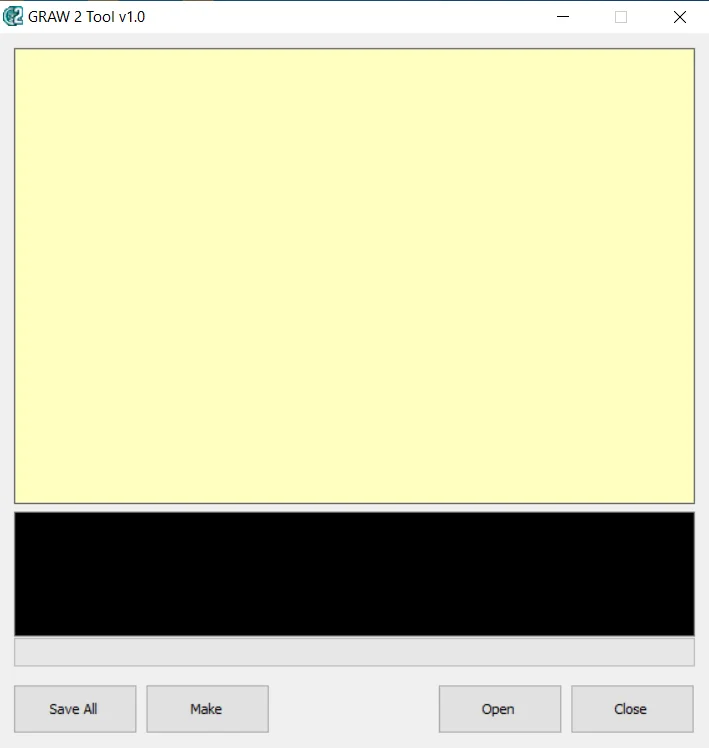
Программа позволяет не только, без повреждения вытаскивать файлы, но и упаковывать их так же без повреждений
Тут ничего сложного нет.
Open - Выбрать файл .bundle для предпросмотра.
Save all - Распаковать и сохранить всё содержимое в выбранную папку.
Make - Запаковать папку как .bundle архив.
(Важное замечание: программа распаковывает файлы в 5 разных папок, обязательно перед архивацией закиньте всё в одну папку и архивируйте уже её)
Содержание quick.bundle
Я не знаю как точно игра устроена, тут только мои предположения. Папки с файламиcore - Файлы движка и остаточные файлы инструментов разработчикаdata - Основные, скомпилированные файлы игры и скрипты
db - Основные, не скомпилированные файлы игры, звуки, музыка, текстуры и т.д.
local - Локализация
settings - Настройки управления Какие файлы есть:.xml - основа всей игры +- 60 % игры держится на этих файлах
.xmb - скомпилированные .xml, которые взаимодействуют напрямую с игрой.
.dds - текстуры
.diesel - модели (инструмент для работы с ними будет дальше в руководстве)
.luac - скомпилированные файлы lua (Файлы закодированы и не могут быть декомпилированы чисто, без специальных программ, следовательно и скомпилировать их обратно не получится, без вреда для игры. Поэтому декомпилировать их пока-что можно только ради просмотра устройства кода и каких-нибудь скрытых штук. Например я нашёл код для дебага, но я проверить его не могу, потому что коды по-нормальному можно вводить только с геймпада)
Другие инструменты
LUAC LUA decompilerДекомпилятор для luac файлов, полностью декомпилирует luac файлы, но не способен сделать это чисто без повреждения или модификации файла, поэтому используется только для просмотра примерного устройства скриптов LUA.Для декомпиляции зайдите по
- этому пути:
Lua compiler and decompiler/decompiler/LUAC - LUA Decompiler/build/MSVC/Release
туда кидаете .luac файл и затем открываете cmd. Пишете в cmd команду:
cd [Путь до папки Release]
А потом копируете команду из файла cmd propmpts и заменяете "yourfile" на название вашего файла. - - CMD Prompts
luadec yourfile.luac>yourfile.lua -- Не чистая декомпиляция.
luadec -dg yourfile.luac>yourfile.lua -- Чистая декомпиляция. OilToDiesel/3dsmax diesel extractorЭкстрактор для переноса моделей в 3dsmax. Я им ещё не пользовался, т.к. он может только экспортировать, но не импортировать модельки. ParticleEditorОчень странная прога, непонятно как с ней работать, лучше полазить по форумам и узнать получше. Выдаёт предупреждение при попытке открытия файла. Можно использовать как редактор .xml файлов (Но .xml можно редактировать и в обычном блокноте или вордпаде)
Что можно делать с этой информацией?
Как минимум ретекстуры точно, ведь изменение текстур и архивации обратно в .bundle игру никак не повреждает и она спокойно запускается.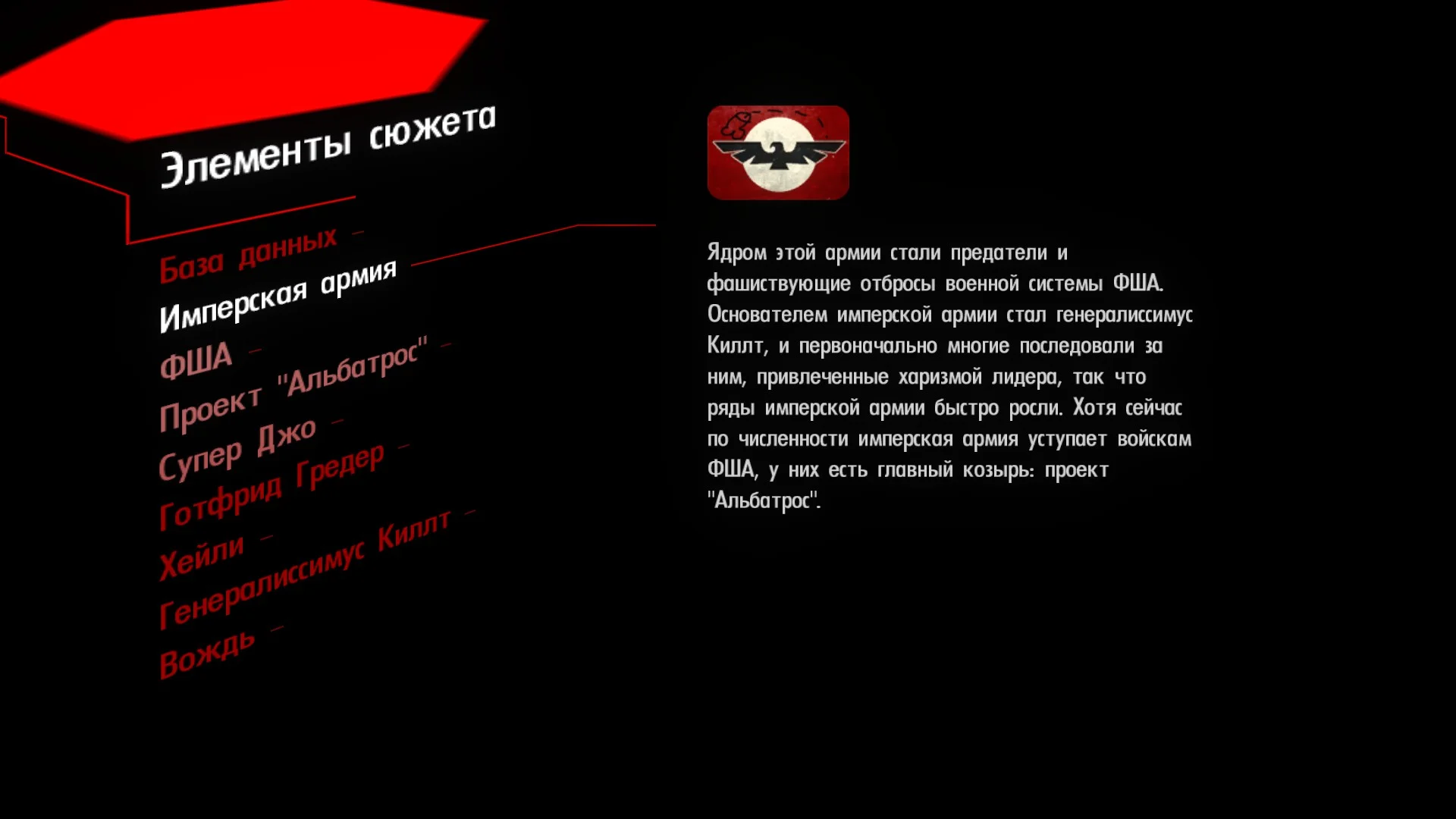 Вот доказательство.
Так же, если найдётся кто-то, кто сможет импортировать модели или даже тот, кто сможет редачить скрипты, то можно будет создавать модификации, правда для этого потребуются другие программы.
Вполне возможно подобные инструменты уже существуют, просто я плохо искал.
В конце руководства я указал ссылки на источники и исходники файлов, можете поискать там.
Также стоит отметить, что BCR и Bionic Commando не единственные игры от Grin. Из-за того, что все их игры написаны на движке Diesel, почти все программы совместимы со всеми играми на Diesel (Важная поправка: diesel должен быть той же версии!!!). Поэтому информацию можно искать на форумах по другим играм.
Now in english
I left the link to a full archive with all tools in the end of the guide. And links to a forums too.How to export files out .bundle archives
For this, there is a good util GRAW2tool. At first it was created for another Grin game, but BCR have same engine, so this tool works well with it too GRAW2toolTool allows you to export files without damaging them and import them into .bundle archives too
There is nothing hard to understand
Open - Select .bundle file for preview.
Save all - Unpack all and save all out of selected .bundle file.
Make - Pack files into .bundle archive.
(Important: tool export files into 5 different folders, before packing in .bundle put all folders into one folder and then pack this folder as .bundle archive)
Insides of quick.bundle
I don't know how exactly game works, so there is only my suggestions Folders with filescore - diesel engine files and tailings of dev utilsdata - General compiled game files and scripts
db - General uncompiled game filles, sounds, music, textures, etc
local - Localisation
settings - Control settings File types.xml - base of the game +-60% of game is .xml
.xmb - compiled .xml that works with game directly
.dds - texture
.diesel - models (tool to work with them is farther in guide)
.luac - Compiled lua files (Files are encoded and couldn't be decompiled 100% clearly without special tools. So compile lua files back to luac is gonna lead you only to game crash. The only one reason to decompile this files is to look at how code work, or maybe you even find some secrets. For example i found code for debug unlock, but i can't check it, because to enter codes i need controller)
Other tools
LUAC LUA decompilerDecompiler for .luac files. Fully decompiles .luac files but it can't do it without damaging or modificating original file, so use it only to look how approximately lua scripts works in game.For decompilation go to "Lua compiler and decompiler/decompiler/LUAC
- LUA Decompiler/build/MSVC/Release". Drop your .luac file there and then open cmd. Write prompt:
"cd [path to Release folder]".
And then copy prompt from "cmd prompts" file (Change "yourfile" to .luac file name) - - CMD Prompts
luadec yourfile.luac>yourfile.lua -- Not clear decompile.
luadec -dg yourfile.luac>yourfile.lua -- Clear decompile. OilToDiesel/3dsmax diesel extractorExtractor to get model into 3dsmax. Didn't use it yet, because it only extracts models. ParticleEditorStrange tool, i don't know how to work with it. This would be better to check forums and know about it better. It shows warnings if you open file using this tool. It also could be used as .xml file editor (But .xml is just text file so you could edit it with notepad and wordpad)
What to do with that info
Retextures at least, because game feels absolutely normal after texture editing and importing them back into .bundle.Here's the proofAlso, if there would be a person, that could make and improt models into the game or even a person, who could redact scripts, then it would be posiblle for making mods. But, to be honest, this needs other tools.
Maybe this tools already exists, just i don't search them good enough.
In the end of the guide i left links to the sources of info and utils, you could search there.
Also BCR and Bionic Commando not all games of Grin. Because they use diesel engine in every their game, almost each tool works with each diesel game (Important: games with same diesel engine version!!!). So you could search info in forums for another Grin games.
Источники и авторы утилит/ Sources and util authors.
Полный архив с прогами/full archive with utilsSteamcommunity Форум GRAW, другой игры от Grin/ GRAW forum, another Grin game GRAW [www.ghostrecon.net]GRAW2[www.ghostrecon.net] Файлы для GRAW с сайта Ghost Recon/files for GRAW from Ghost Recon website GRAW [www.ghostrecon.net]
GRAW2 [www.ghostrecon.net] Авторы прог/Authors of utilsGRAW2tool - (Не знаю кто на самом деле автор/I don't know exact author) Нашёл здесь/found it here[graw.oldschoolfun.eu]
Diesel to 3dsmax Exporter - GRIN (posted by: Wolfsong Ichabond)
Particle Editor - GRIN (posted by: Wolfsong Ichabond)
Нашёл на сайте Ghost Recon/ Found it in Ghost Recon website
Luac - Lua Decompiler - B1313
h/ttps:/www.unknowncheats.me/forum/downloads.php?do=file&id=11798 Нашёл здесь/found it here
Steam удаляет ссылку, так что.../Steam is deleting link so...
Удалите "/" после h. /Delete "/" after h.
Конец руководства/Guide end
Спасибо, что прочитали руководство. Оно будет обновляться, если я буду получать новую информацию.Thanks for reading this guide. It would update each time i would get new info.