Шаг 1
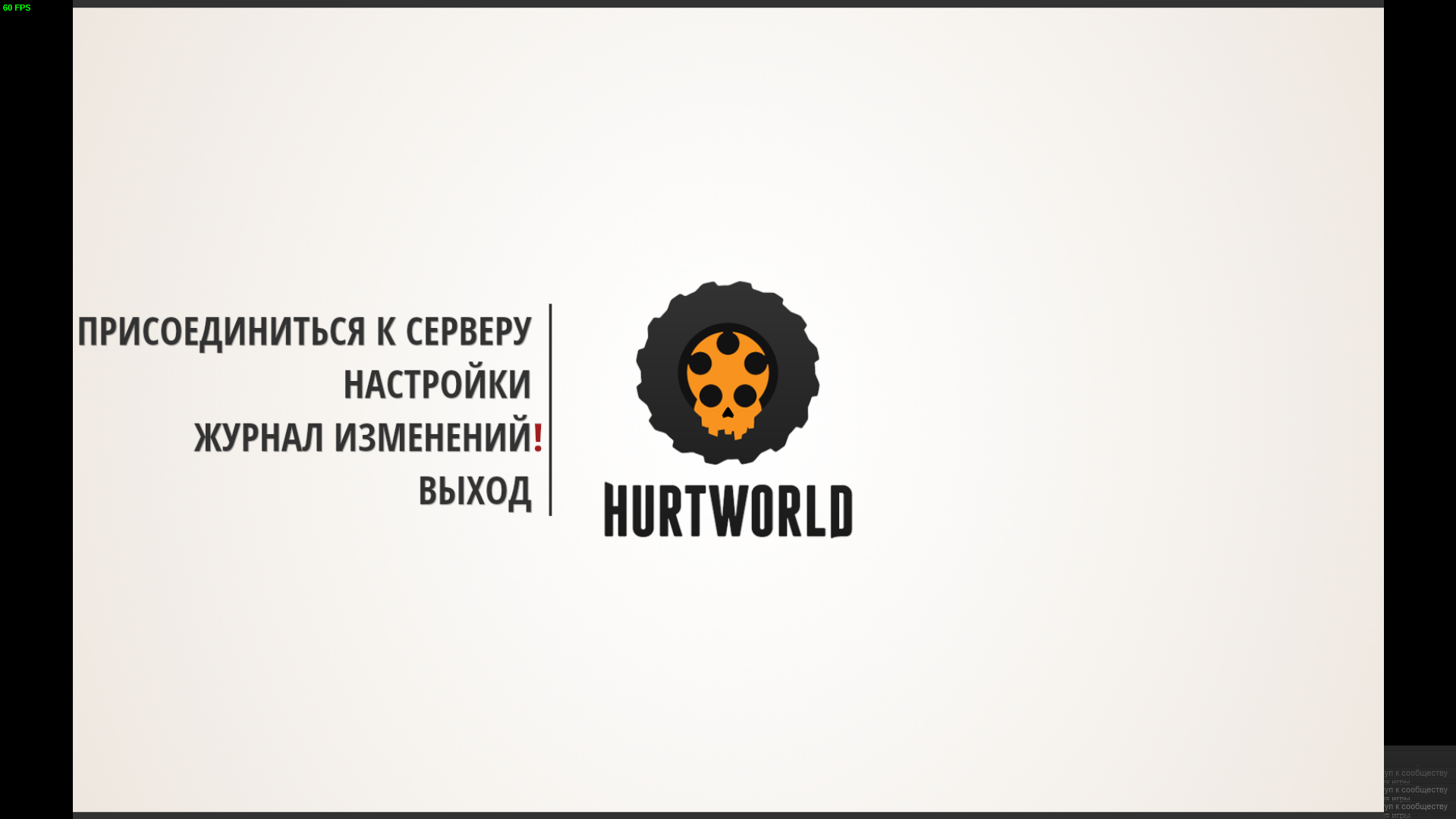
У многих после обновления Win 10 появилась проблема с запуском игры HurtWorld , выдкиывает на рабочий стол и появляется такой экран / Many after the update of Win 10 there was a problem with the launch of the game HurtWorld, vydkivaet to the desktop and there is such a screen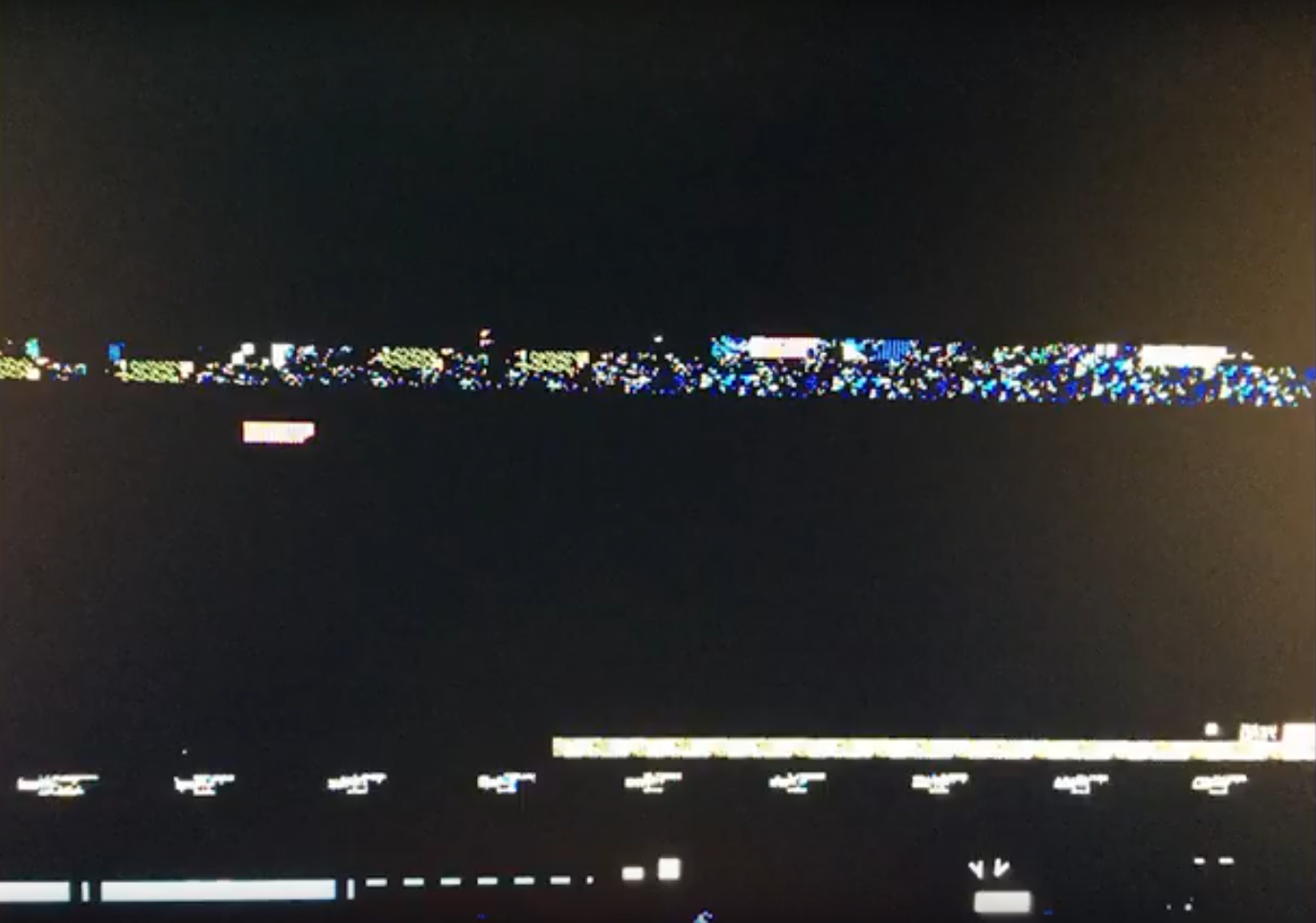
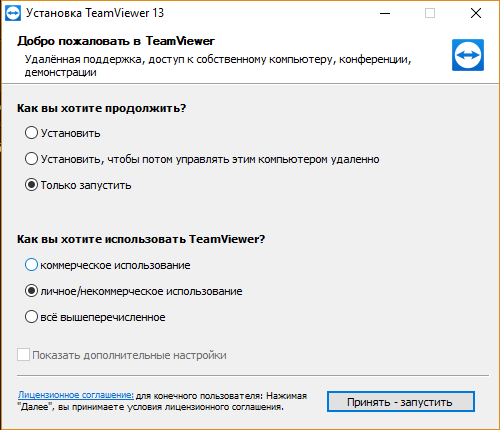
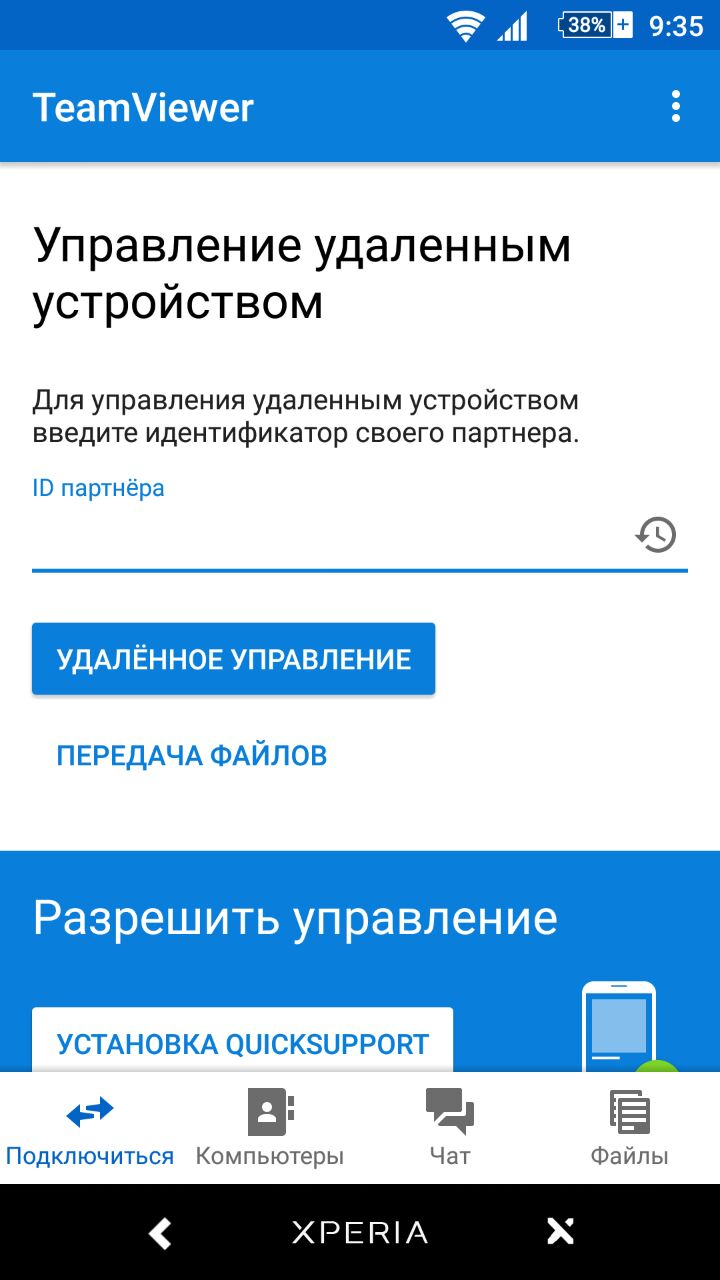
Необходимо скачать программу TeamViewer на свой компьютер, а так же на мобильный телефон.
It is necessary to download the program TeamViewer on your computer, as well as on your mobile phone.
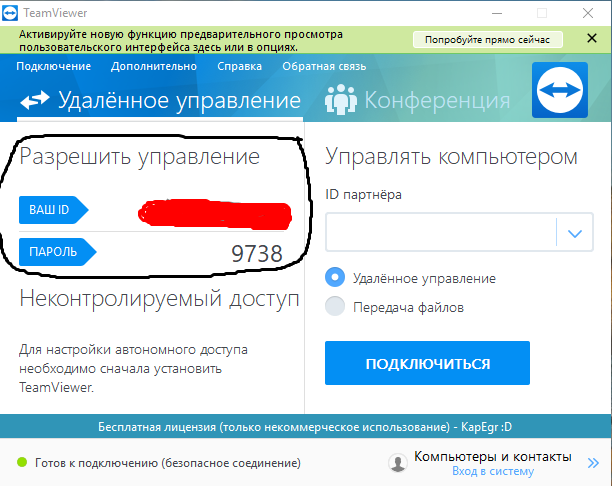
- Запускаем TeamViewer / Running TeamViewer
- Нам нужен ID и пороль. / We need ID and password.
- Вписываем эти данные в программу на вашем мобильном телефоне и подключаемся к вашему компьютеру. / We enter this data into the program on your mobile phone and connect to your computer
Шаг 2
1. Заходим в Свойства игры HurtWorld / Go to the Properties of the game HurtWorld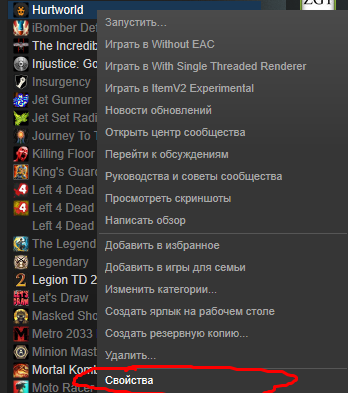
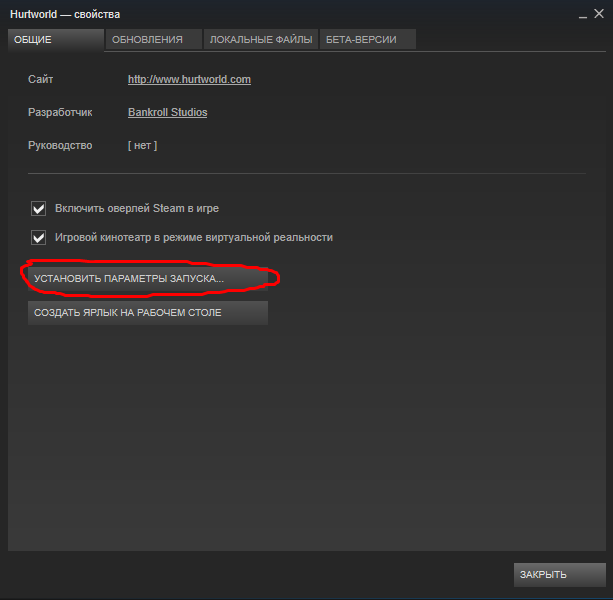
Выбираем параметры запуска / Choosing startup parameters
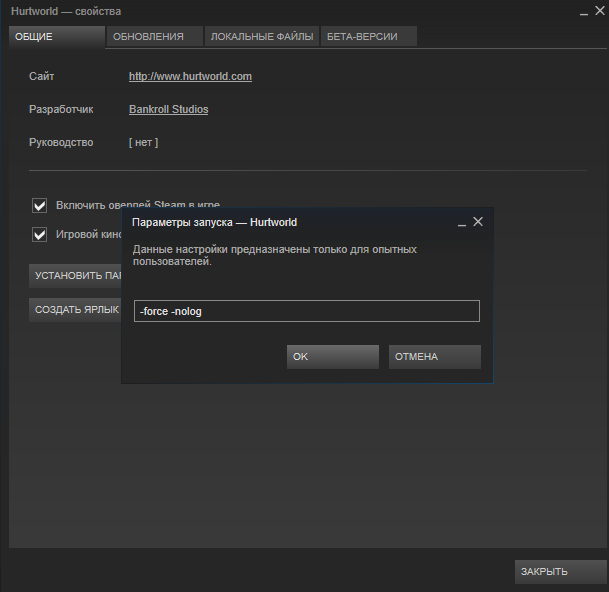
И вписываем как у меня на скриншоте / And we enter it like in my screenshot
- Запускаем HurtWorld / Running HurtWorld
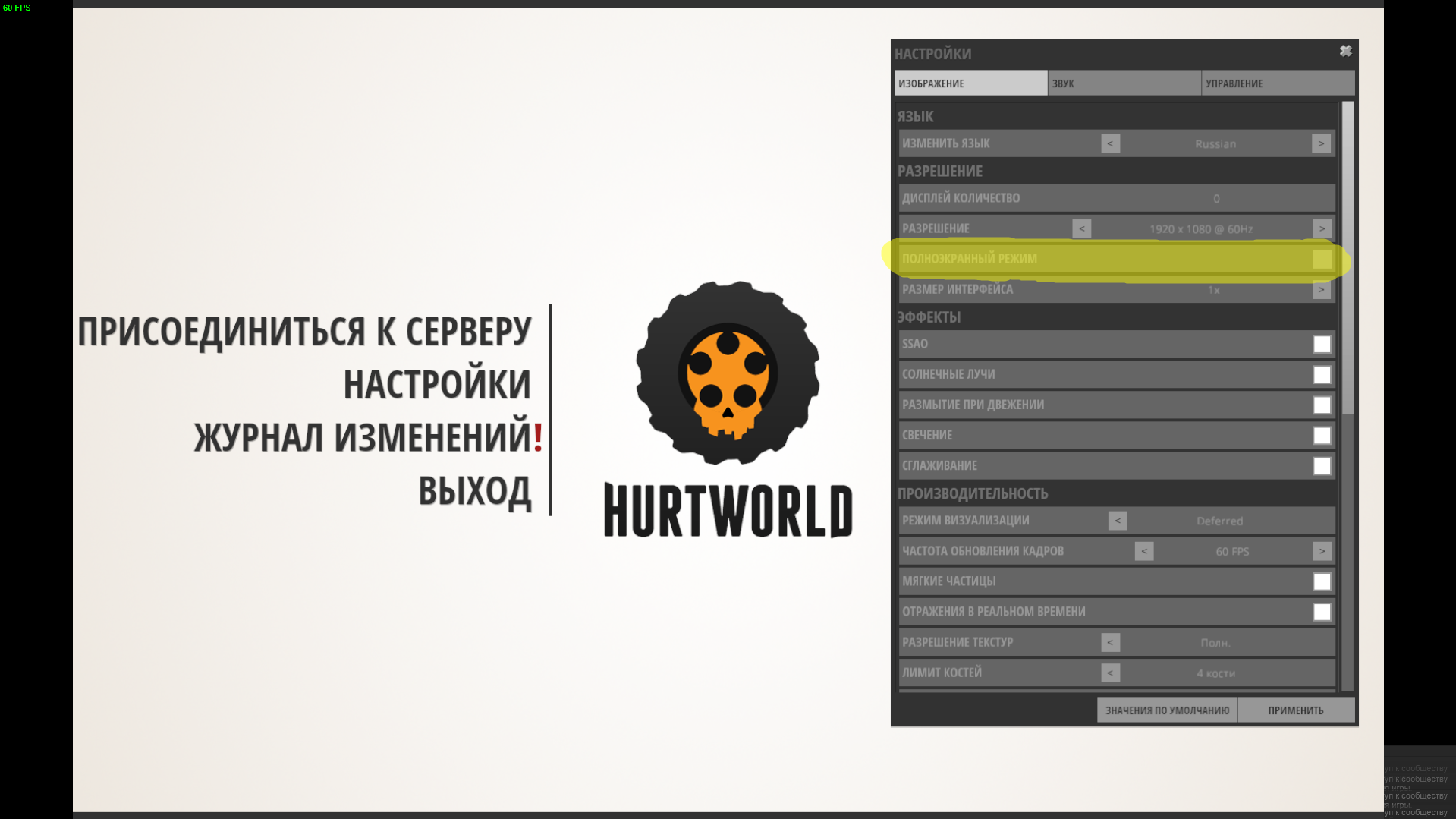
- В настройках игры убираем галочку "Полноэкранный режим" / In the game settings, remove the checkmark "Full screen mode"
- Если кому не удобно играть в оконном режиме, нажмите Alt + Enter / If someone is not comfortable playing in the window mode, press Alt + Enter
Всё готово, теперь можете играть / Everything is ready, now you can play