

Steam server browser
1. Go to Steam => View => Servers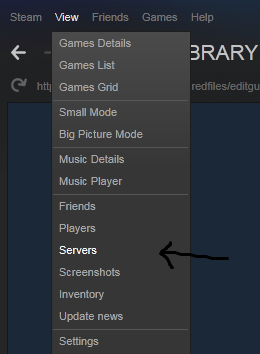
2. You will see the sever browser. Choose the KF2 in the game filter
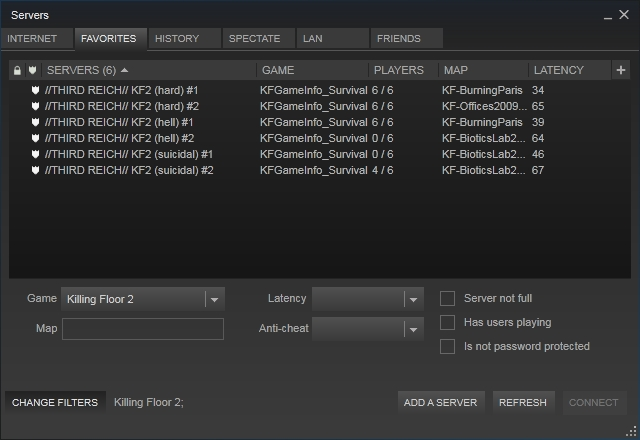
3. Move to the favorites, then press RMB (right mouse button) and choose "Add sever by IP address" or press the "Add a server" button
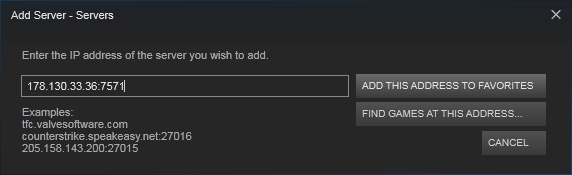
4. Insert the IP and confirm it
Killing Floor 2 console + servers history
1. Open the game2. Open console (~ and F3 buttons by default)
3. Type "open <IP>". For example:

4. For passworded servers type "open <IP>?password=<password>. For example:
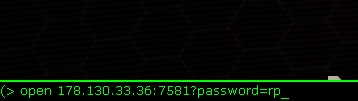
5. For passworded you can also use "open <IP>" command and type password later
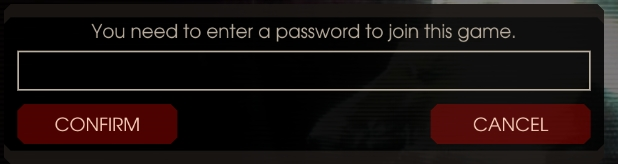
6. Go to the in-game server browser => history
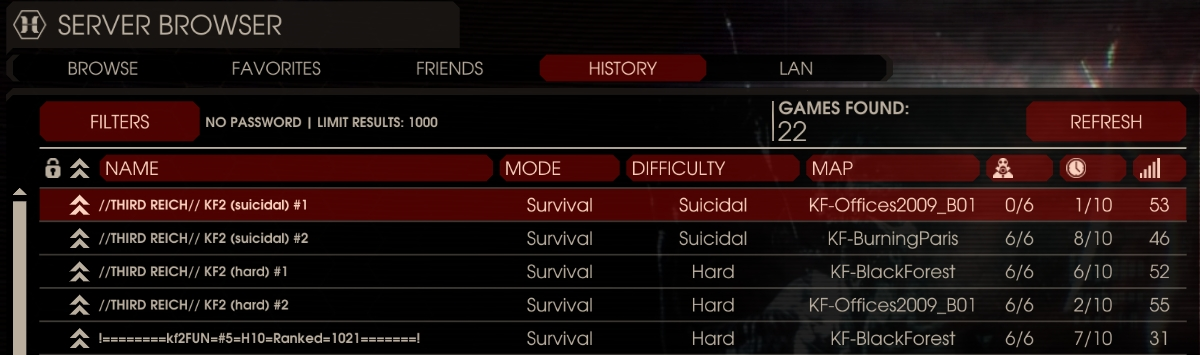
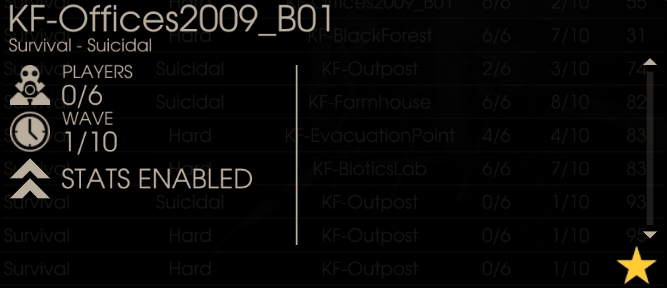
7. Find your server and choose it, press "Server details" and press the star button on the right bottom
Для русскоговорящих фанатов киллинг флё
Способ 1:Заходите в стим (саму игру включать не обязательно), сверху выбираете "Просмотр" => "Серверы". Выбираете снизу игру KF2, заходите во вкладку "Избранное", там через райтклик добавляете сервер через айпи. В общем все как в контре 1.6 и других играх вольво
Способ 2:
Заходите на сервер через консоль в игре, потом заходите в браузер серверов в игре во вкладку "История", там ищете нужный сервер (обычно самый первый), жмете "Детали" и там будет кнопка в виде звездочки снизу.
Если что то непонятно - смотрите скриншоты сверху или спрашивайте в комментах
Credits
Thanks for reading this useless ???? guide. Feel free to ask something in comments Ill answer you asap.Спасибо за внимание


