

Осторожно!Caution!
(RUS)Сразу предупрежу, что если вы, как и я, часто используете комбинации клавиш наподобие Win + R (диалоговое окно «Выполнить»), то после отключения они вам станут недоступны.
(ENG)
I shall warn that if you, like me, frequently use keyboard shortcuts like Win + R (the dialog box "Run"), then after disconnection they will become unavailable.
(RUS)Отключение с помощью реестра
Итак, для того, чтобы отключить кнопку Windows данным способом, запустите редактор реестра, для этого можно ввести regedit в поиске. Можно также нажать клавиши Win + R, ввести regedit и нажать «Ок».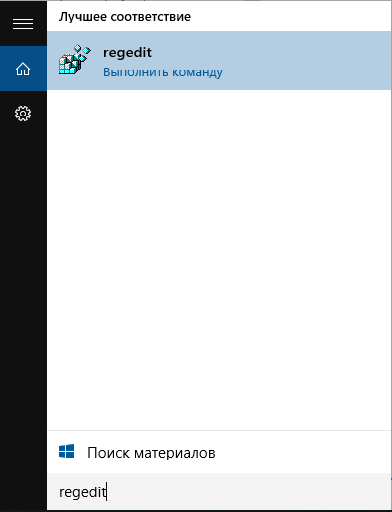 После этого в редакторе реестра зайдите в раздел KEY_LOCAL_MACHINESYSTEMCurrentControlSetControlKeyboard Layout и в правой части редактора реестра создайте новый двоичный параметр, дав ему имя «Scancode Map».
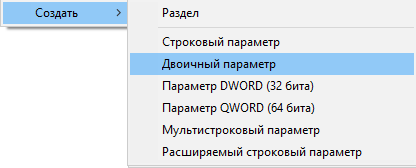 Кликните по имени параметра правой кнопкой мыши, выберите пункт контекстного меню «Изменить двоичные данные» и введите то, что на картинке ниже. Ввод осуществляется по два символа, значения слева и справа подставляются автоматически.
 По завершении нажмите «Ок», закройте редактор реестра и перезагрузите компьютер. Теперь клавиша Windows на клавиатуре отключена. Если потом потребуется включить ее, просто удалите параметр Scancode Map из редактора реестра и выполните перезагрузку компьютера.
(ENG)Disable via the registry
So, in order to disable the Windows button this will start registry editor, you can enter regedit in the search. You can also press the keys Win + R, type in regedit and click "OK".Then in registry editor go to KEY_LOCAL_MACHINESYSTEMCurrentControlSetControlKeyboard Layout and on the right side of registry editor to create a new binary value with the name "Scancode Map".Click on a parameter name with the right mouse button, select the context menu item "Modify binary data" and enter what is in the picture below. The input is two characters, the values left and right are substituted automatically.When finished, click "OK", exit registry editor and restart the computer. Now Windows key on your keyboard is off. If you need to enable it, simply delete the Scancode Map parameter from the registry editor and reboot the computer.


